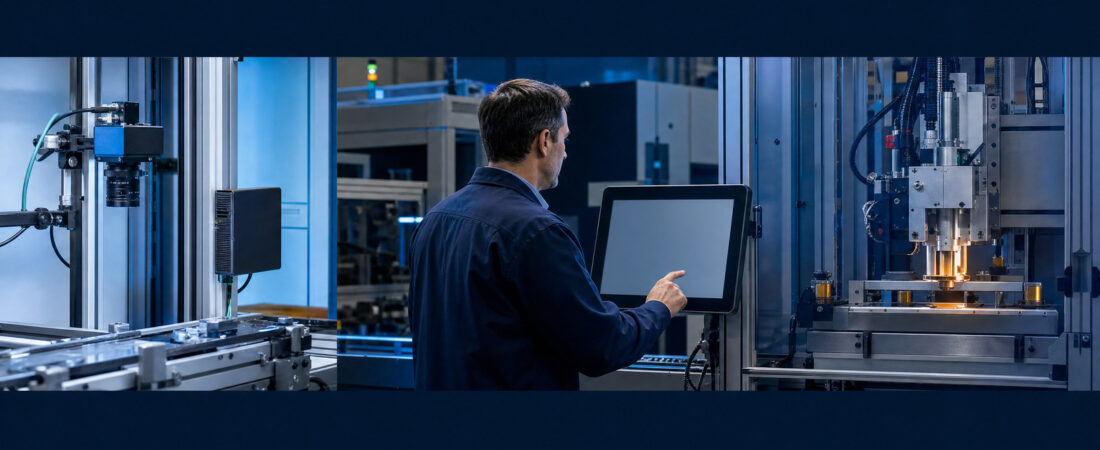
A factory connection should not begin with an Internet Protocol address or an application programming interface. It should begin with a production question: what can this new system see, what can it change, and how will the factory continue if it fails?
A camera, edge device, artificial intelligence system, or robot may look separate during a demonstration. Once it connects to a machine controller, production database, maintenance computer, or vendor support tunnel, it becomes part of the operating environment. The connection can affect quality, uptime, traceability, maintenance, and operator work.
This operating environment is often called Operational Technology (OT). Operational Technology includes the systems that monitor or control physical work: machines, sensors, controllers, production lines, utilities, and industrial networks. Information Technology (IT) usually manages business information such as email, office files, cloud services, and accounting systems. In a modern factory, the two areas often meet.
Operational Technology does not mean every machine is online
Operational Technology can include a Programmable Logic Controller (PLC), a robot controller, a Human-Machine Interface (HMI), a camera inspection station, a building utility system, or a Supervisory Control and Data Acquisition (SCADA) system. It may also connect upward to a Manufacturing Execution System (MES) or an Enterprise Resource Planning (ERP) system.
The important question is not whether the equipment carries an OT label. The important question is whether the connection can influence physical work. Can it stop a machine? Change a setting? Release a job? Hide an alarm? Delay material? Alter a quality record? If yes, the factory needs more than a password and a vendor presentation.
The three connection levels should not be mixed
I would separate every pilot into three simple levels:
- Observe: the system reads a signal, image, alarm, or production record.
- Advise: the system creates a recommendation, draft instruction, or maintenance alert for a person to review.
- Act: the system changes a setting, releases work, stops equipment, or sends a command.
These levels require different controls. A camera that only counts pieces is not the same as a system that automatically changes machine speed. A maintenance assistant that drafts a checklist is not the same as an agent that sends a command to a controller. The factory should not let a project move from observe to advise or act without a new review.
These three levels extend the execution-rights questions in the Factory AI Agent Safety Case and the evidence, logging, and rollback questions in the Factory AI Action Reliability Layer.

12 checks before the connection goes live
1. Draw the real connection boundary
Show the device, network, software, cloud service, machine, and database involved. Mark any data that leaves the factory. A simple one-page drawing is enough if it shows the real path. If the team cannot draw the path, it is too early to approve the connection.
2. State what the system can read
List the exact signals, images, files, production records, and equipment status that the system can access. Avoid broad labels such as “machine data.” A useful list names the source, frequency, unit, timestamp, and owner.
3. State what the system can change
Separate read-only access from write access. Name every setting, command, work order, alarm state, and release decision the system can change. If write access is not required for the first pilot, do not grant it.
4. Name the production owner and the technical owner
The production owner decides whether the connection helps the work. The technical owner manages access, configuration, support, and recovery. One person may fill both roles in a small factory, but the responsibilities should still be written down.
5. Control remote vendor access
Record who can connect from outside, how approval is given, when access expires, and whether the session is logged. Permanent remote access should not be the invisible default. Emergency access also needs an owner and a closing step.
6. Limit accounts and permissions
Use named accounts where possible. Remove accounts when a person, vendor, or pilot leaves. Do not give administrator rights simply because they make installation faster. The first permission should match the first approved task.
7. Put every change through one visible process
Software, firmware, model, recipe, configuration, network, and device changes should have a request, reviewer, test, approval, and rollback decision. The process can be simple, but production should never discover the change only after output or quality moves.
8. Back up the items needed to restore operation
A useful backup may include controller logic, configuration files, device settings, Human-Machine Interface graphics, license keys, firmware, network settings, vendor tools, and supporting documents. A folder called “backup” is not enough if nobody knows which version belongs to the running machine.
9. Test restoration, not only backup creation
The real question is whether the team can restore the right version with the available hardware, software, license, and knowledge. National Institute of Standards and Technology guidance emphasizes regular backups, change-management integration, testing, and recovery exercises for Operational Technology environments.
10. Define the safe manual or offline state
If the camera, edge device, network, cloud service, or artificial intelligence system is unavailable, can production continue safely? The answer may be manual inspection, a slower local mode, a temporary paper record, or a controlled stop. The fallback should be understood before the failure.
11. Keep logs that help people act
Logs should help answer what changed, who approved it, what the system did, when the problem began, and which version was running. More logs are not automatically better. The factory needs records that a named person can review during a real interruption.
12. Decide who owns the system after the pilot
A pilot can end while the connection remains. Before daily use, name the owner for access review, vendor support, updates, backup, recovery tests, spare parts, incident response, and eventual removal. A system without a post-pilot owner should remain on hold.
A simple release decision
GO
The path is known. Read and write permissions are limited. Owners are named. Backup and restoration have been tested. A safe fallback exists.
HOLD
The pilot may be useful, but access, ownership, backup, remote support, or recovery evidence is still missing. Keep the system read-only or disconnected while the gaps are closed.
REDESIGN
The connection creates unnecessary write access, a single vendor dependency, an unsafe failure state, or a recovery burden the factory cannot support. Change the architecture or reduce the task.
What I would ask to see after two weeks
I would not judge the pilot only by the accuracy screen. I would ask for a short connection record:
- what the system read and what it was allowed to change;
- which alarms, stops, delays, or false signals occurred;
- who reviewed each exception;
- which software or configuration changed;
- whether the fallback method was used;
- whether one backup and restoration exercise succeeded;
- what the operator, mechanic, quality team, and production owner want changed before expansion.
This is familiar factory work. We use a limited run to learn what the method misses before we spread it to more lines, products, or shifts. The same discipline should apply when artificial intelligence reaches a machine or production system.
If your team is still defining the wider pilot, begin with the Factory AI Readiness Scorecard. For a camera-based use case, also review the evidence and operating questions in AI Visual Inspection in Garment Factories.
Final factory check
The purpose of an Operational Technology connection gate is not to stop useful automation. It is to prevent a fast demonstration from becoming an unmanaged production dependency.
Start with the work. Limit the connection. Separate observation from action. Name the owners. Record changes. Test restoration. Keep a safe fallback. Then expand only when the factory can explain both how the system works and how production will recover when it does not.
Sources checked and claim boundary
The National Institute of Standards and Technology Guide to Operational Technology Security provides broad guidance on Operational Technology systems, threats, vulnerabilities, and safeguards. Its Operational Technology Backup Quick Start Guide identifies asset inventory, critical configurations, regular backups, change management, testing, and recovery exercises as practical parts of Operational Technology backup and recovery. International Electrotechnical Commission 62443-2-1:2024 describes security-program policy and procedure requirements for industrial automation and control system asset owners and recognizes the constraints of legacy and unsupported systems.
This Factory AI Atlas checklist translates those source categories into reader questions. It does not reproduce the paid standard, certify a system, replace a site-specific risk assessment, or prove legal, cybersecurity, or safety compliance.
- National Institute of Standards and Technology Special Publication 800-82 Revision 3: Guide to Operational Technology Security
- National Institute of Standards and Technology Special Publication 1339: Operational Technology Backup Quick Start Guide
- International Electrotechnical Commission 62443-2-1:2024: Security program requirements for industrial automation and control system asset owners